
Collection: Golf Impact Screens in Standard and Custom Sizes
A golf impact screen must stop full-speed shots, control bounce-back, and hold a crisp projected image inches from the strike point.
One Stop Sim Shop offers USA-made screens tested for ball speeds over 200 mph, offering long-lasting performance. The single-layer 1920 is the budget pick for moderate swing speeds, while triple-layer construction adds noise control and durability for frequent play. Retractable options work well when an indoor golf impact screen must be removed after the round.
Stock sizes run from 8' x 8' to 18' x 10' in 4:3, 16:10, and 16:9 formats, which fit most golf sim impact screen frames. If your room has a unique layout or varied mounting requirements, use the Custom Impact Screen Builder.

-
SALE - SAVE 20% LIMITED TIME OFFER!!! Premier Triple Layer 401 Golf Impact Screen (Woven border with Grommets)
Regular price From $583.94Sale price From $583.94 Regular price$729.92Sale -
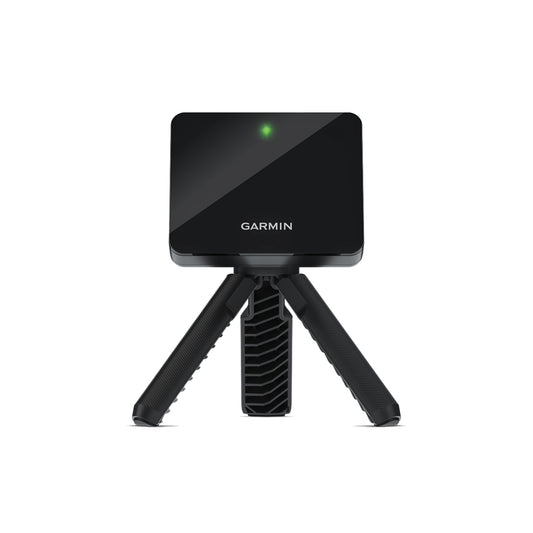
BUNDLE: Garmin Approach® R10 & US Premier Triple Layer 401 Golf Impact Screen (Woven border with Grommets)
Regular price From $999.99Sale price From $999.99 Regular price$1,278.00Sale -
US Premier Single Layer 1920 Golf Impact Screen (Raw Fabric)
Regular price From $175.00Sale price From $175.00 Regular price -
US Premier Single Layer 1920 Golf Impact Screen (Woven border with Grommets)
Regular price From $395.84Sale price From $395.84 Regular price -

 Sold out
The Budget Bundle
Regular price From $699.00Sale price From $699.00 Regular price$867.98Sold out -
US Premier Single Layer 1920 Golf Impact Screen (Hook & Loop border with Grommets)
Regular price From $395.84Sale price From $395.84 Regular price -
US Premier Triple Layer 801 Golf Impact Screen (Raw Fabric)
Regular price From $350.00Sale price From $350.00 Regular price -
US Premier Triple Layer 801 Golf Impact Screen (Woven border with Grommets)
Regular price From $603.20Sale price From $603.20 Regular price -
US Premier Triple Layer 801 Golf Impact Screen (Hook & Loop border with Grommets)
Regular price From $603.20Sale price From $603.20 Regular price -
SCREEN PATCH for US Premier Single Layer Golf Impact Screen
Regular price $19.99Sale price $19.99 Regular price -
SCREEN PATCH for US Premier Triple Layer Golf Impact Screen (now 3 sizes!)
Regular price From $17.99Sale price From $17.99 Regular price -
Screen Saver (aka screensaver)
Regular price From $99.99Sale price From $99.99 Regular price









Golf Impact Screen FAQs
What is the best material for a golf impact screen?

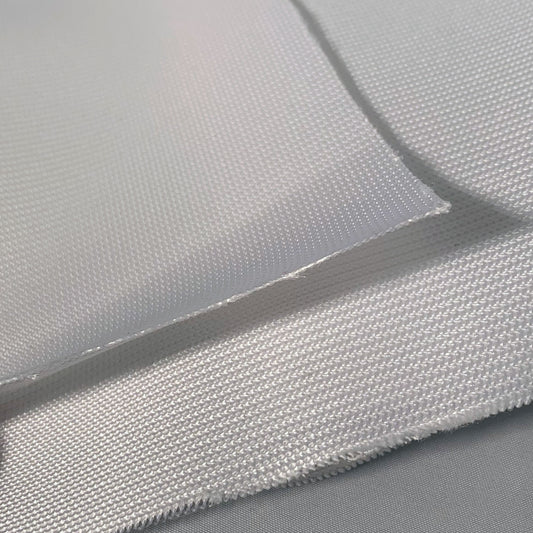
Triple-layer fabric is the best impact screen for golf simulator use at higher swing speeds because it spreads impact energy across three layers, reducing noise and bounce-back. Our triple-layer 801 and 401 are both Jason Mills fabrics sewn in the USA and tested past 200 mph. The single-layer 1920 uses the same testing standard, making it a strong choice for budget-conscious home simulators.
How do you hang a golf impact screen?
Most screens hang from a frame with ball bungees through the grommets, or attach with a hook-and-loop border to foam bumpers on the frame. For ceiling-hung setups, a hemmed bottom sleeve with a weighted tube keeps the screen flat enough for projection and absorbs the ball at impact.
How far should a golf impact screen be from the wall?
Plan on roughly 12–16 inches of clearance behind the screen when possible. That space allows the fabric to flex under impact and helps reduce hard rebound, premature wear, and contact with the wall behind it.
What size impact screen do I need for a golf simulator?
Start with the usable width and height of the hitting area, then confirm that the dimensions work with your projector’s aspect ratio and leave room for mounting. Stock sizes cover 8' x 8' to 18' x 10' in 4:3, 16:10, and 16:9. If your frame falls between sizes, order a custom screen built to your inside frame measurements.
Single layer vs. triple layer: which impact screen is better?
A single-layer screen is the more economical choice for recreational home use, while triple-layer construction is better suited to frequent practice, higher ball speeds, and simulator setups that double as theaters.
How do you clean an indoor golf simulator screen?
Use clean golf balls and club grooves to prevent screen marks, then clean light dirt with a gentle wipe-down rather than harsh solvents. If repeated strikes eventually damage the main hitting area, screen patches can address localized wear without immediately replacing the entire screen.


